| Developer | Logitech Unifying |
| License | Free |
| Download | Free Download |
No Need for Multiple Receivers
If you bind yourself with one receiver for a mouse or keyboard, it might be quite an inconvenience especially if you move frequently between work and home. To have to unplug receivers at one place and reconnect at the other is really a trouble to your fingers. Logitech Unifying application was devised precisely for a smoother handling of the situation.
Logitech Unifying gives you a chance to hook up as many as six compatible Logitech mice and keyboards to just one very small USB receiver. This is extremely handy if you have a couple of input devices or you are switching places. Instead of lugging around several receivers, you only carry one, which makes the jump from one workplace to another much more effortless and time-saving.
Basics of Logitech Unifying
Logitech Unifying is a wireless tool for pairing, managing devices, and reconnecting through the use of a single receiver. Besides, it guarantees a solid wireless connection at a range of up to 10 meters, which is quite enough for stable device performance in most cases.
However, if the receiver is misplaced, then the devices can be re-paired by using another Unifying receiver—hence, it is always a good idea to have extra receivers around for your convenience.
Limitations and Compatibility
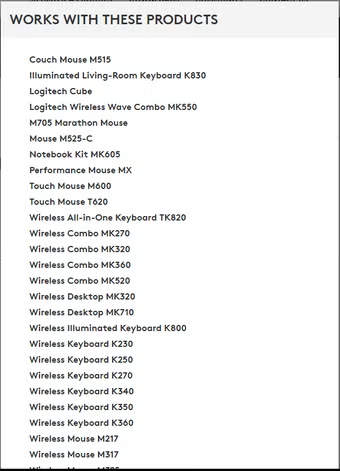
Unifying can only be used to work with the Logitech products which are compatible. So, if you are thinking about using the peripherals from other manufacturers, you simply cannot do that through Unifying. In addition, it might be the case that the hardware from Logitech that you have does not support Unifying, so make sure you are looking for the orange Unifying logo before you attempt to pair a device.
Another issue is the number of devices connected to the receiver, which is capped at six, thus if users with really big setups, this may limit their work.
Should You Go for Logitech Unifying?
The main target of Logitech Unifying users is only made up of those people who cannot imagine their day-to-day work without multiple Logitech mice and keyboards. If you switch between devices or locations quite often and like everything neat and tidy at home, then this software is a sure way to get there.
On the contrary, if your usage is limited to only one mouse or keyboard, then the benefits of Unifying wouldn’t really be worth the effort and you could even feel it as a nuisance. It is not the aim of this software to substitute the built-in laptop input devices or to drive users towards external peripherals—it simply comes up with a smarter way of managing multiple Logitech devices.
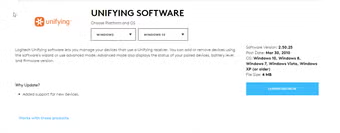
| Category | Details |
|---|---|
| Title | Logitech Unifying Software 2.52.33 for Windows |
| System Requirements | Windows XP, Windows Vista, Windows 7, Windows 8, Windows 8.1, Windows 10 |
| Language | English |
| Available Languages | English |
| License | Free |
| Last Update | November 15, 2022 |
| Author | Logitech |
| SHA-1 | c8ca0643693fbca5cda17886f478666ff0d35cee |
| File Name | unifying252.exe |
Changelog
Unfortunately, there is no changelog yet for Logitech Unifying Software version 2.52.33. However, the developers may decide to publish this data later, so do not hesitate to check back after a couple of days.
You may also interested in Java Runtime Environment 64-bit and Download Any Video Converter Software for that you can visit our website.
Can you help?
If you happen to have any info on the changelog, we would be grateful for your support. Kindly go to our contact page and let us know the data.