| Developer | Norton |
| License | Free |
| Download | Free Download |
Norton Power Eraser is a reputation in the industry for its very thorough scanning process. This anti-malware software is made to locate, detect and remove viruses that other security programs fail to get rid of. One of its features is that it can find and remove security weaknesses which can trick you into thinking that they are real applications, like a fake antivirus program which is a common trick. But, Norton Power Eraser can do more than just that. These points below clarify why it is ranked among the best antivirus tools you can have.
Norton Power Eraser
Norton Power Eraser: Thorough scan
Norton Power Eraser has always been capable of detecting malicious files which standard antivirus softwares fail to detect or even antivirus program installation get blocked. However, it should be kept in mind that this tool is only a helper and therefore cannot replace a full antivirus or anti-malware suite.
Simple and Portable to Use
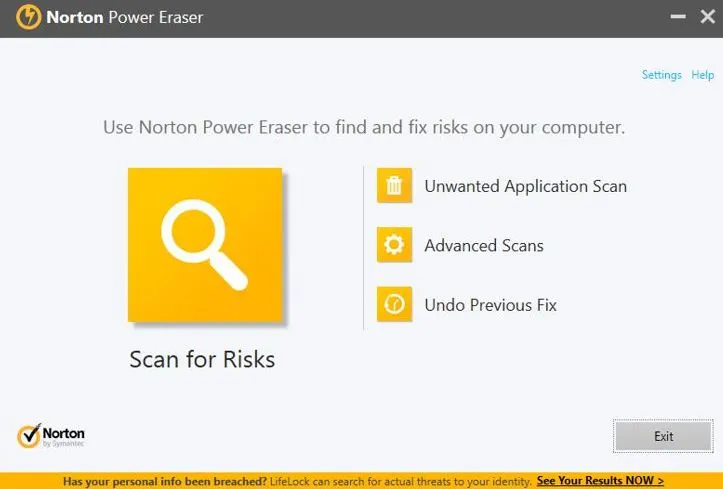
Norton Power Eraser does not have to be installed to be used. It is a free software that can be immediately accessed after download. Being portable, the user can simply start the application and carry out a scan for any unwanted applications right away. Furthermore, the main interface shows a few other options such as undoing fixes, viewing scan history, and using advanced scanning features.
Normally, users would go for the System Scan which thoroughly scans the whole system for malware.
Besides this, they can also choose the Reputation Scan which basically checks the files by comparing them with Norton’s cloud database.
Moreover, if there are multiple Windows installations on the computer (which is very rare), then the tool supports scanning an offline Windows installation. It can also check files of the Reputation Scan that are unique and rarely found elsewhere.
Norton Power Eraser Latest Version
Running on Safe Mode
Running Norton Power Eraser in Safe ModeIf your PC cannot start in Normal Mode, you can use this free tool in Safe Mode by following these steps:
- Put your PC in Safe Mode with Networking first.
- Close all programs and press Windows + R to open the Run window.
- Type msconfig and hit Enter. If User Account Control asks, just click Yes or Continue.
- Main System Configuration screen: go to the Boot tab, check the Safe boot box, and select Network.
- On Windows XP, you will have to add /SAFEBOOT to the BOOT.INI.
- Afterwards, if you are asked, click OK and restart your PC.
- Launch Norton Power Eraser, choose Scan for Risks, and follow the steps on the screen.
- When the process is over, start your PC in Normal Mode again.
Downside
Since Norton Power Eraser employs highly detailed scanning techniques, there is a slight chance that it could mistake a real program for malware and delete it. Make sure to double-check the scan results carefully before you remove any files.
You may also interested in Download Install Disk Creator Latest Version and Download Virtual CloneDrive Latest Version for that you can visit our website.
Conclusion
If you have a Symantec product installed already, there is no need to be concerned—Norton Power Eraser is completely compatible and can be used with it.